HEVC IPTV Encoder: H.265 Bandwidth & Compatibility Guide
An HEVC IPTV encoder compresses live video with the H.265 codec, so the same picture can travel over less bandwidth than with H.264. The trade-off is compatibility: not every player can decode HEVC. This guide explains what HEVC is, how much bandwidth it can save, which devices play it, and how to test before you commit.
What HEVC (H.265) is
HEVC (High Efficiency Video Coding), also called H.265 and MPEG-H Part 2, is the successor to H.264/AVC. It was developed by ITU-T and ISO/IEC, and H.265 and HEVC are two names for the same codec. It is a patented standard, which affects the cost of devices and encoders that use it.
How much bandwidth does HEVC save?
Published comparisons suggest HEVC can deliver about 25% to 50% better compression than H.264 at the same quality, with results varying by study, content and encoder. As an example, a 4K stream at 30 frames per second may need around 50 Mbps with HEVC compared with around 100 Mbps with older H.264 profiles.
Some vendors claim larger savings. PVI states that its VeCASTER HD HEVC delivers the same Full HD quality at up to 4 times lower bitrate than H.264, and describes roughly half to a quarter of the bitrate. Treat vendor figures as best-case claims. Test your own content, because motion, detail and encoder settings change the result.
The cost: processing power and compatibility
- Encoding is heavier. HEVC needs more processing power to encode, which is why dedicated hardware encoders are common.
- Playback depends on the device. Decoding is easier than encoding, but the player still needs HEVC support.
Support has grown. Common browsers and Apple devices play HEVC (Apple added it to iOS, macOS and HLS in 2017), and Android has supported it since version 5.0. Windows has had a mixed history, with HEVC needing a paid add-on on some versions before becoming built-in in Windows 11 22H2. Smart TV and set-top box support varies by model, so check the exact device.
When HEVC helps
- Bandwidth is limited, or you carry many streams on one network link.
- You are streaming 4K, where bitrates are high.
- You control the players and know they decode HEVC.
When to stay with H.264
- Your viewers use unknown or older devices.
- You need the widest possible compatibility.
- Your players or apps do not list HEVC support.
HEVC HDMI encoders and IP streaming
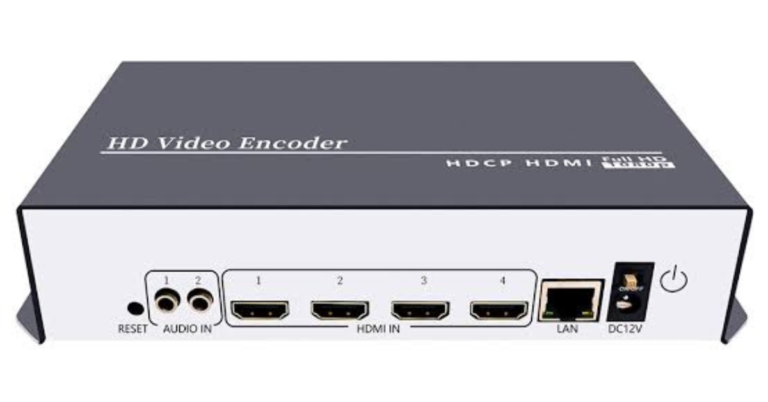
An HEVC HDMI encoder, sometimes sold as an HEVC encoder box, takes a live HDMI source such as a camera, switcher or set-top box, compresses it with H.265, and sends it over the network as an IP stream. That is what most people mean by an HEVC IP streaming encoder: the stream can be picked up by players, a headend or a streaming platform using protocols such as SRT, RTMP, HLS or multicast UDP.
When you compare models, check that H.265 can be selected alongside H.264, which output protocols your receivers accept, and whether you need one channel or several. For model selection, see the H.265 IPTV encoder and H.264 HDMI IPTV encoder guides.
Example: a hardware HEVC encoder
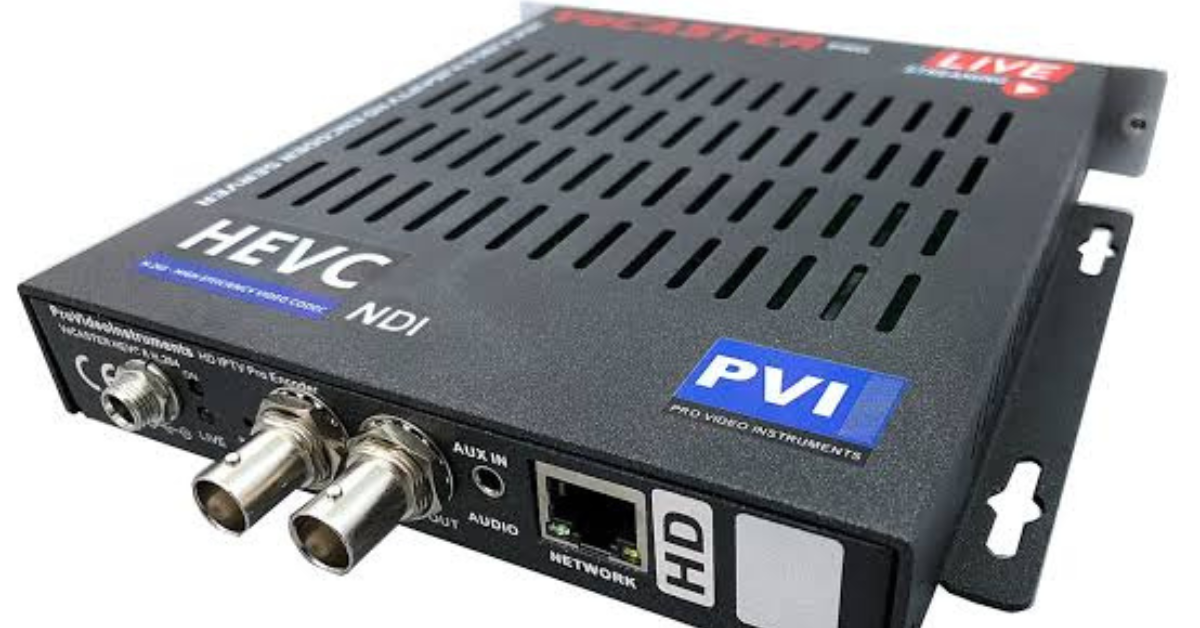
PVI lists the VeCASTER HD HEVC as an HDMI encoder with:
- One HDMI input, SD and HD up to 1080p60.
- Selectable HEVC (H.265) or H.264 encoding, so you can fall back to H.264 for older players.
- A listed Full HD bitrate range from about 250 kbps (HEVC) up to 20 Mbps.
- Two independent encoders and scalers, each with its own format and protocol.
- Outputs listed as SRT, RTMP(S), M3U8/HLS, HTTP, RTSP, RTP, FLV, ONVIF and UDP/RTP unicast and multicast, plus SAP.
- A gigabit RJ-45 network port, and a 5-year manufacturer warranty as listed by PVI.
For the full range, including 4K models, see the VeCASTER streaming encoder guide.
A sensible test plan
- Encode the same source twice, once in H.264 and once in HEVC, at the same quality target.
- Compare bitrate and picture on the real player, not only on a computer.
- Test every device type you must support, including the oldest.
- Keep an H.264 stream available as a fallback.
- Check the protocol too. HLS output with HEVC needs a player that supports it. See the M3U8 and HLS guide.
Questions to ask before ordering
- Does the encoder offer both HEVC and H.264, so you can fall back?
- Which protocols can carry HEVC on that model?
- Which of your players are confirmed to decode HEVC?
- Do you need 4K, or is 1080p enough? See the VeCODER guide for multi-channel units.
Frequently asked questions
Are H.265 and HEVC different?
No. They are two names for the same codec. HEVC is the common name, and H.265 is the ITU-T name.
Will HEVC work on every IPTV app?
No. Support depends on the app and the device. Test the exact player and keep an H.264 fallback.
How much bandwidth does HEVC save compared with H.264?
Published tests suggest roughly 25% to 50% at the same quality, depending on the content and encoder. Vendors may claim more. Measure your own streams.
Is HEVC better for 4K?
Often yes, because 4K bitrates are high and HEVC can reduce them, but the player must support it.
Is HEVC more expensive?
HEVC is patent-licensed, and fees are generally higher than for H.264, which is one reason it spread more slowly on the web. The cost is usually built into encoders and devices, so compare complete products.
What is an HEVC encoder box?
It is a hardware device that takes a video source, usually over HDMI, compresses it with HEVC (H.265) and sends it out as an IP stream. Check that it also offers H.264 so you can fall back for older players.
Sources
- Wikipedia, High Efficiency Video Coding (compression estimates, licensing and device support)
- PVI, VeCASTER HD HEVC product page