Multicast Encoder for IPTV: IGMP, LAN Delivery & Setup
A multicast encoder sends one video stream to a group address on your network, and every player that joins that group receives it. It is the standard way to deliver the same live channel to many screens inside one building or campus without sending a separate copy to each screen. This guide explains how multicast encoding works, what your network needs, and when another delivery method is the better choice.
What a multicast encoder does
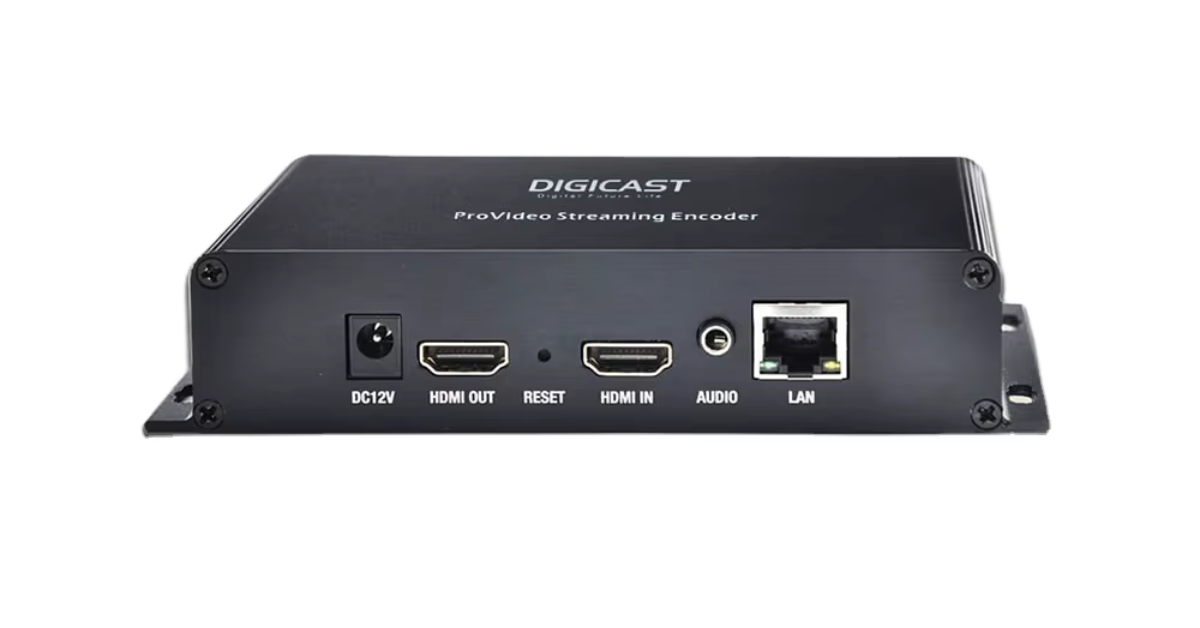
An IPTV encoder turns an HDMI or SDI source into a network stream. In unicast mode it sends a separate copy to each viewer. In multicast mode it sends a single stream to a multicast group (an address in the 224.0.0.0 to 239.255.255.255 range), and the network delivers it only to ports where a player has asked to join.
As an example, the PVI VeCASTER HD H.264 lists UDP/RTP output in both unicast and multicast, with IGMP v1, v2 and v3, and says multicast supports an unlimited number of devices on a multicast-capable network. PVI lists a built-in server for up to 100 Mbps of connections and up to four independent streams from one input. Multi-channel units such as the VeCODER list unicast and multicast delivery too.
Why multicast helps in buildings
- Hotels, schools, hospitals and offices can show the same live channels on many TVs from one encoder.
- The encoder sends one copy of each stream, however many players join.
- Players can switch channels by joining a different group.
The switch configuration is essential
Multicast depends on the network, not only the encoder:
- IGMP snooping: a Layer 2 switch feature that listens to IGMP messages and forwards multicast only to ports with interested players. Without it, many switches flood multicast traffic to every port.
- An IGMP querier: snooping needs a querier to keep group memberships alive. If no router on the network provides one, a switch can be set up as the querier. Switch makers such as TP-Link and Netgear document the steps for their own models.
- A managed switch: PVI recommends a Layer 2 video switch for the VeCASTER HD H.264, although it can also connect directly to a router.
- Group addresses: many installations choose private-range groups in 239.0.0.0/8 and a distinct group and port for each channel. Keep a written list.
A simple multicast test
- Set the encoder output to UDP or RTP multicast, with a group address and port.
- Enable IGMP snooping and a querier on the network.
- Open the stream in a player that supports UDP/RTP multicast, on a wired device first.
- Add a second player and confirm both receive the stream.
- Watch for dropouts for several minutes before adding more channels.
When to use another path
- The public internet: multicast generally does not cross it. Use HLS or another unicast protocol. See the HLS IPTV encoder guide.
- Wi-Fi players: multicast over Wi-Fi is often less reliable than wired. Test it, or use HLS.
- Apps and Smart TVs that need M3U8: use HLS, not multicast.
Questions to ask before ordering
- Does the model list multicast output, and with which protocols (UDP, RTP)?
- How many streams can it send at once, and at what total bitrate?
- Which switch and querier settings does the manual recommend?
- Is the network managed, and who can change it?
Frequently asked questions
Does multicast work over the public internet?
Generally no. Multicast is meant for networks that you control, such as a LAN or campus. Use HLS or another unicast protocol over the internet.
Does multicast eliminate bandwidth use?
No. Each channel still uses its bitrate on every link that carries it. Multicast avoids sending one copy per viewer on those links.
What is IGMP snooping?
A switch feature that forwards multicast only to the ports that asked for it, instead of flooding it everywhere. It usually needs an IGMP querier on the network.
Do I need a managed switch for multicast?
For more than a few streams, usually yes, because you need IGMP snooping and querier control. A small direct connection may work without one.
Is multicast better than unicast or HLS?
Multicast suits many screens on a managed LAN. Unicast suits a few viewers. HLS suits apps, browsers and Smart TVs, and works over the internet.
Sources
- PVI, VeCASTER HD H.264 product page
- PVI, VeCODER multichannel rack IPTV encoders
- TP-Link, IGMP snooping for IPTV networks
- Netgear, IGMP snooping and querier